Visit your client area/dashboard by login into your hosting account on Geebytescloud.com
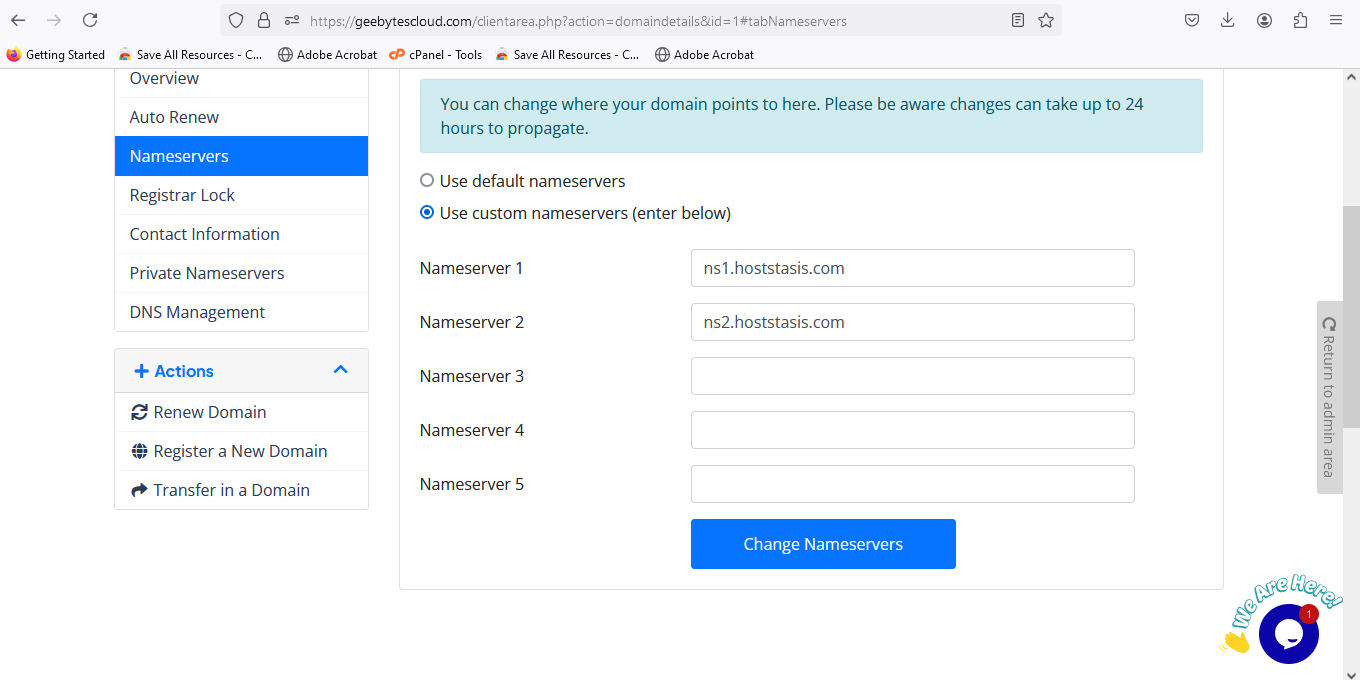
When you are logged in, click on the Domains menu and click the click on the domain you want to change the nameserver and click on nameserver. enter the nameserver you wishe to change to and save changes